The all-in-one platform that transforms how bespoke tailoring businesses operate. Scan handwritten measurement forms with AI, manage orders and customers, accept online payments via Paystack & Stripe, send invoices via WhatsApp, and give every customer their own branded portal — all under your custom domain.
Free to start · No credit card required · Available on Web, iOS & Android coming soon
AI ScanningCustom DomainOnline PaymentsAnalyticsWhatsAppApps Coming Soon
You'll be taken straight to the Shop Setup wizard — no account needed yet
Step 2 — Fill In Your Shop Details
The wizard guides you through three quick setup steps before you create your account:
Shop Details — Enter your business name, choose your custom URL slug (e.g., kofi-tailors.bespokegh.com), select your country, currency, and add contact info
Branding — Pick your accent colors, upload a logo, add a tagline and background image (all optional, can be done later)
Products — Choose starter product templates (Custom Suit, Dress Shirt, Trousers, etc.) or skip to add your own later
Step 3 — Verify Your Phone & Create Your Shop
Enter your phone number (Ghana, Nigeria, Kenya, or international)
Verify with the 6-digit OTP code sent to your phone
Tap "Create My Shop" to launch your tailoring business on BeSpoke
Instant Subdomain: Your custom subdomain is provisioned automatically with SSL — no DNS configuration or technical setup required. It's live within seconds of saving.
Step 4 — Set Up Payments (Optional)
Configure your bank or mobile money account to receive online payments. You can skip this step and set it up later from Shop Settings.
Step 5 — You're Ready!
That's it! You're now ready to:
Add customers and their measurements
Scan handwritten forms with AI to digitize measurements instantly
Create orders and assign jobs to tailors
Record payments and generate PDF invoices
Notify customers via WhatsApp when orders are ready
Track your business with real-time analytics and reports
Share your portal — customers can check order status at {your-shop}.portal.bespokegh.com
Pro Tip: Invite your team right away! Go to User Management to add staff with Admin, Sales, or Viewer roles. Each team member gets an invitation link they can use to sign up with their own phone number.
✦
Plans & Pricing
BeSpoke offers flexible plans designed to grow with your business. Start free and upgrade when you're ready — no pressure, no lock-in.
Everything in Free + Reports, AI scanner, PDF invoices, push notifications, branding
Business
$14.99/mo
∞
∞
10
2%
Everything in Pro + Calendar, fabric management, online payments, white-label
Enterprise
$29.99/mo
∞
∞
∞
1%
Everything in Business + REST API, multi-location, dedicated support
14-Day Free Trial: Pro, Business, and Enterprise plans include a 14-day free trial. Try all premium features risk-free. Your card won't be charged until the trial ends, and you can cancel anytime.
How to Subscribe
On the Web
Navigate to Shop Settings → Subscription in the admin dashboard. Choose your plan and complete checkout through Stripe. Stripe handles payment, invoicing, and recurring billing securely.
On Mobile (Coming Soon)
Go to Profile → Manage Subscription in the app. Browse plans and subscribe via the App Store (iOS) or Google Play (Android). Your shop tier updates automatically once the purchase is verified.
Restore Purchases: If you've previously subscribed, tap Restore Purchases at the bottom of the subscription page. Useful when switching devices or reinstalling.
Managing Your Subscription
iOS: Manage or cancel via Settings → Apple ID → Subscriptions on your device.
Android: Manage or cancel via Play Store → Subscriptions.
Web: Tap Manage Billing in Shop Settings to open the Stripe billing portal.
Subscription Status
Your subscription status is displayed in Shop Settings with a color-coded badge:
●Active — Subscription is in good standing
●Trial — 14-day free trial period
●Canceling — Active until the end of the billing period
●Past Due — Payment failed; update your payment method
●Canceled — Subscription has ended; reverts to Free tier
Grace Period: If a payment fails, you have a short grace period to update your payment method before features are restricted. The app will notify you if action is needed.
BeSpoke Admin is your comprehensive command center for managing your bespoke tailoring business. It handles customers, orders, products, tailors, fabrics, payments, and reporting — all in one place. Each shop gets its own custom subdomain at {your-shop}.admin.bespokegh.com.
Login
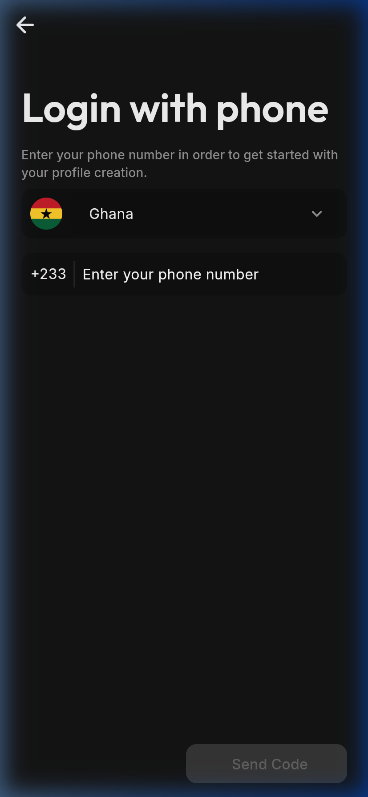
Sign in with your phone number. You'll receive an OTP code to verify your identity. Only authorized staff can access the admin panel. After logging in, you'll be automatically redirected to your shop's custom subdomain.
Phone verification loginWelcome splash screen
Loading Screen
When the app starts, you'll see a branded loading splash with the BeSpoke logo while the app initializes. This replaces the blank screen and ensures a smooth first impression.
Dashboard
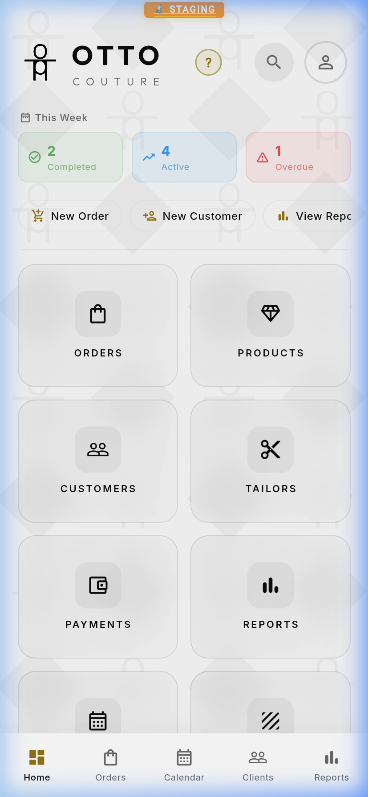
The dashboard gives you an at-a-glance view of your business: active orders, overdue items, and quick-action tiles for common tasks. Tap any tile to jump straight into that section.
Dashboard with KPI cards and quick-action tiles
Tip: Use the bottom navigation bar on mobile, or the sidebar on desktop to quickly jump between sections. Look for the feedback icon in the nav bar — tap it anytime to report a bug or request a feature.
02
Customers
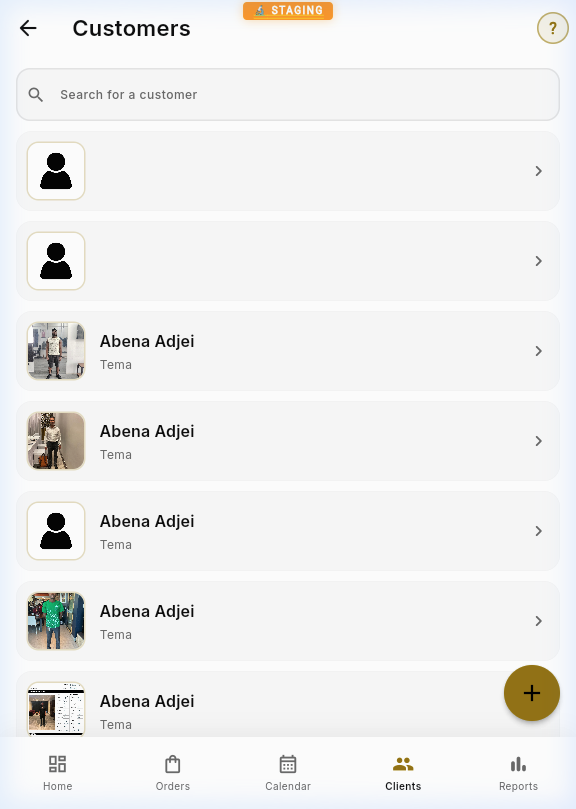
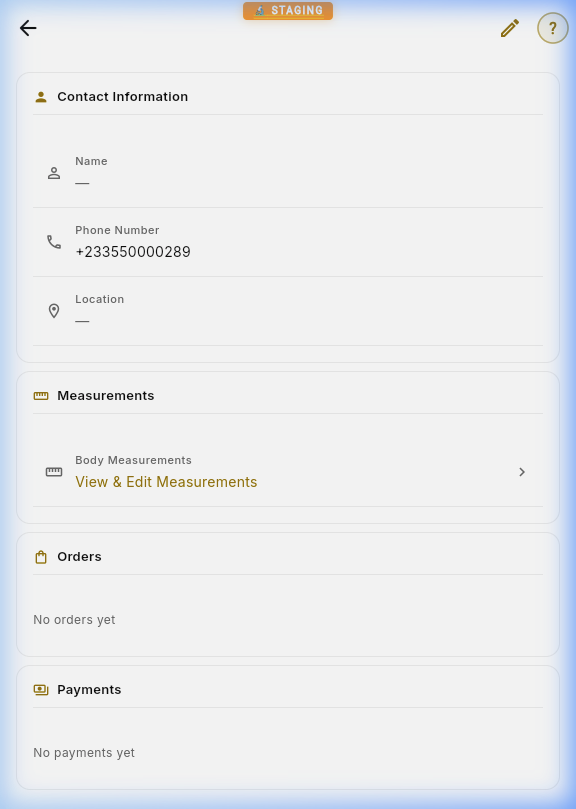
Manage your complete client database. Each customer profile stores contact information, measurements, order history, and payment records.
Customer list with searchCustomer detail view
Creating a Customer
Tap the + button on the Customer List page. Fill in the customer's name, phone number, and location. Tap Save to create the record. You can also upload a profile photo.
Editing Customer Details
Open any customer profile and tap the Edit (pencil) icon in the top bar. This switches from view mode to edit mode. Make your changes and tap Save — or press Back to discard.
Customer Photos
Upload multiple reference photos per customer. Tap the camera icon on the detail page to add images. Photos are stored in Firebase Storage and can be viewed full-screen by tapping them.
Measurements
Link to a customer's body measurements from their profile. BeSpoke tracks 15 standard measurements (chest, waist, hip, shoulder, arm length, shirt length, trouser length, neck, etc.) plus any custom fields your team defines. All measurement changes are version-tracked with timestamps.
Measurement History: Every time measurements are updated, a snapshot is saved. You can review previous measurements to track changes over time — useful for repeat customers.
Scanning Handwritten Forms
BeSpoke uses AI-powered form scanning to digitize your handwritten intake sheets — the standard paper forms used at the shop. The AI recognizes all standard fields plus any custom measurement fields you've added in Settings. There are two ways to scan:
Mode A — Scan Measurements (Existing Customer)
From any customer's Measurements page, tap the scanner icon in the top bar. Choose Camera to photograph the form or Gallery to select an existing photo. The AI reads all 15+ standard measurement fields — plus your shop's custom fields — and presents them in a color-coded review screen:
Green — High confidence (≥ 85%) — ready to save
Yellow — Medium confidence (50–84%) — please verify
Red — Low confidence (< 50%) — needs manual correction
If your shop has custom measurement fields, they appear in a separate "Shop Measurements" section below the standard fields. The AI uses fuzzy matching to recognize handwritten labels — for example, if you've defined a "Bicep Circumference" field, the AI will match handwriting that says "Bicep", "Bicep Circ.", or similar abbreviations.
You can edit any value inline before saving. Tap SAVE MEASUREMENTS to commit, then SCAN NEXT FORM to process the next sheet without leaving the flow.
Mode B — Full Intake Scan (New Customer)
From the Customer List, tap the + button → Scan Intake Form. This scans the entire handwritten sheet including customer info (Name, Phone, Email, Location) plus all measurements (standard and custom). BeSpoke will:
Auto-detect if the customer already exists (by phone number)
Create a new customer record if they're new
Update the existing record if they're already in the system
Save both standard and custom measurements to the customer profile
Tip — Bulk Scanning: After saving one form, tap "Scan Next Form" to immediately scan another. This lets you process a stack of daily intake forms in rapid succession.
Custom Measurement Fields: To add shop-specific measurement fields (e.g., "Bicep", "Shoulder Width"), go to Settings → Measurement Fields. Any fields you add will automatically be recognized by the AI scanner on your next scan — no retraining required.
03
Orders
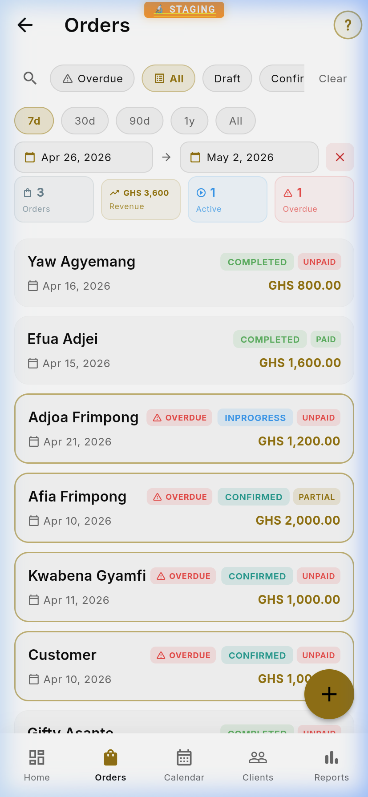
Track every order from creation to completion. Filter by status (Draft, Confirmed, In Progress, Completed), view overdue items, and manage bulk operations.
Order list with status badges and filters
Creating an Order
Tap + on the Order List. Select a customer from the dropdown, set the order date and due date, and choose a timeline (Express, 1 Week, 2 Weeks, 3 Weeks). Tap Save to create the order in Draft status.
Adding Jobs to an Order
Each order contains one or more jobs — individual garments being made. From the order detail page, tap Add Job. Select a product, assign a primary tailor (and optional secondary), set the quantity and price, and save. The order total updates automatically.
Order Detail
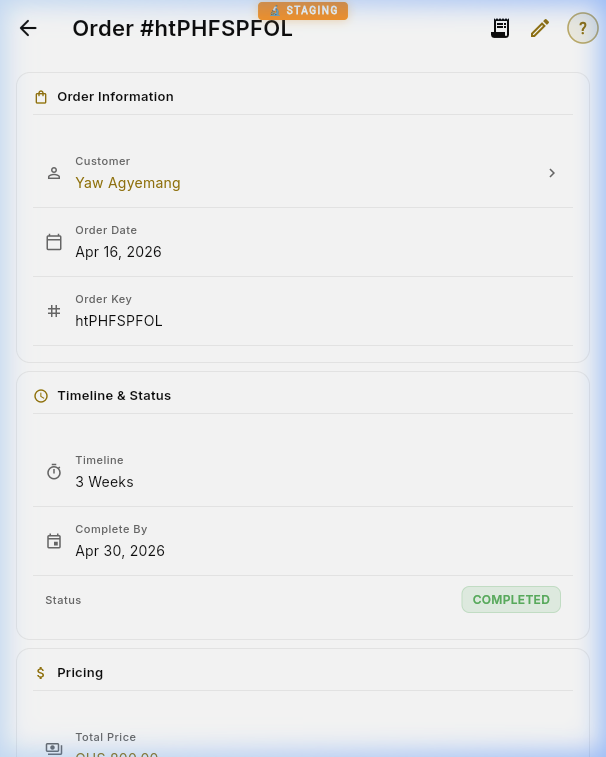
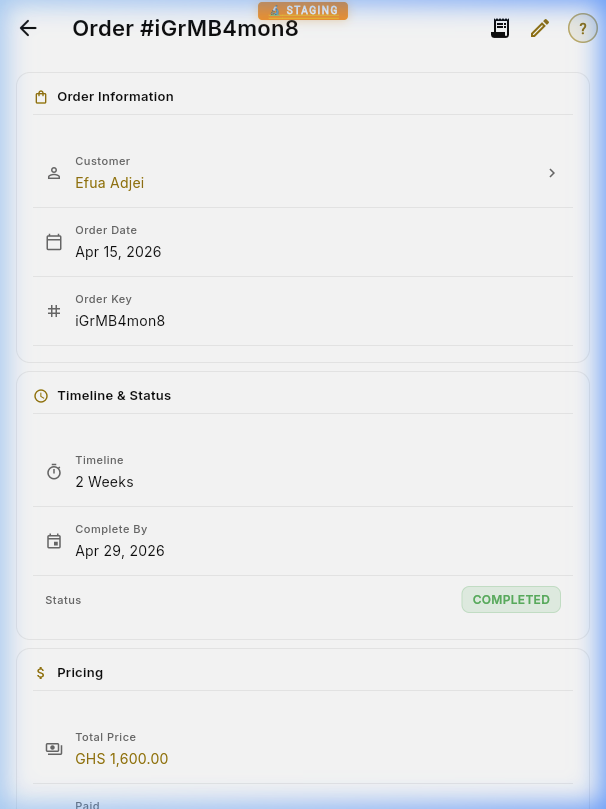
Each order shows the customer, timeline, pricing, individual jobs (garments being made), and payment history. Status badges provide instant visual feedback.
Order detail with timeline, pricing, and status
Changing Order Status
Update an order's status by editing the order and selecting a new status from the dropdown: Draft → Confirmed → In Progress → Completed. When you mark an order as Completed, you'll be offered to notify the customer via WhatsApp.
Payment History
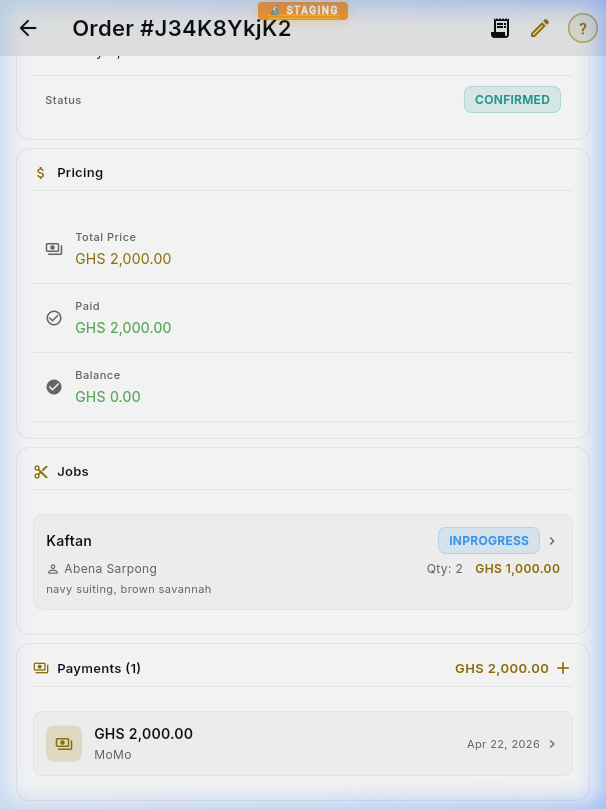
All payments linked to an order appear in the Payments section at the bottom of the order detail. You can see the total paid, balance remaining, and add a new payment with the + button.
Reassigning Tailors
Need to change who's working on a job? Tap the tailor name (shown in gold) on any job card to open the tailor assignment picker. Search for a new tailor, tap Save, and the job updates instantly — no need to open the full job editor.
Tip: You can also unassign a tailor entirely from the picker if the job hasn't been started yet.
Deleting Records
All detail pages (Customers, Orders, Products, Tailors, Fabrics, Payments) feature a ⋮ overflow menu in the top-right when viewing a record. Tap it and select Delete — you'll be asked to confirm before the record is removed. This means you never have to enter edit mode just to delete something.
Bulk Operations
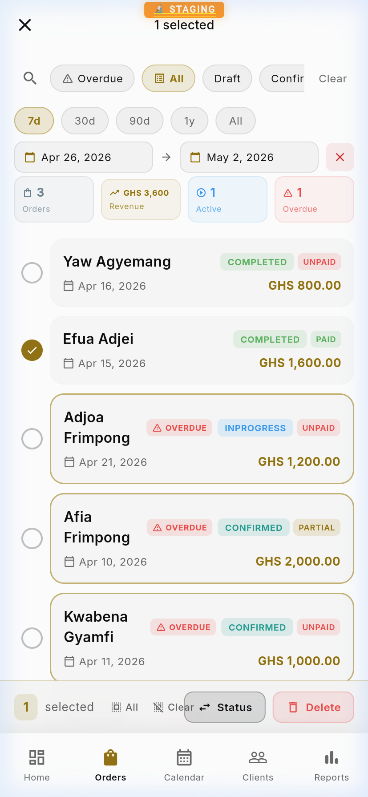
Long-press any item to enter bulk selection mode. Select multiple orders and apply batch actions like status updates or deletion.
Multi-select mode for batch operations
Bulk Actions: Select multiple orders, then use Change Status to move them all to a new stage at once — perfect for marking a batch as "Completed" at the end of the day.
04
Products
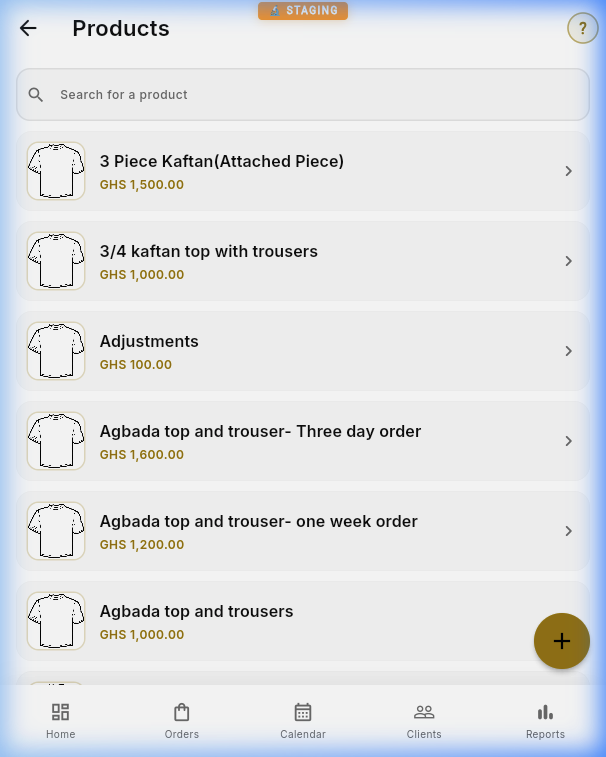
Define your product catalog — each garment type you offer (Kaftan, Agbada, Shirt, etc.) with base pricing and descriptions.
Product catalog with pricing
Creating a Product
Tap + to add a new garment type. Enter the name, base price (in GHS), and an optional description. Upload product images to help your team identify each garment type.
Editing Products
Open a product and tap the Edit icon. Update the price, description, or images as needed. Products can also be soft-deleted — they'll be hidden from lists but preserved for historical records.
Tip: Product names appear in order job dropdowns, so keep them concise and descriptive (e.g. "Agbada – 3 piece" rather than just "Agbada").
05
Tailors
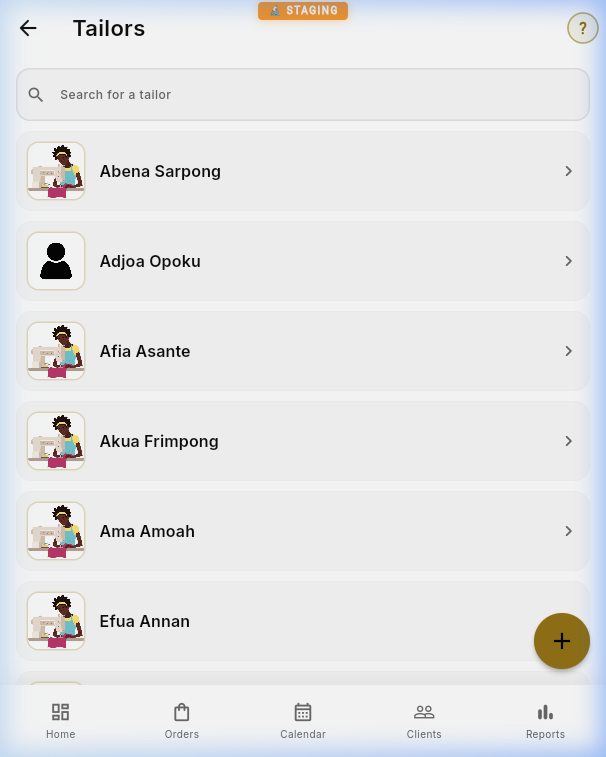
Manage your team of tailors. Assign jobs, track workload, and monitor completion rates for each tailor.
Tailor roster and assignments
Adding a Tailor
Tap + to add a new tailor. Enter their name, phone number, and hire date. Upload a photo for easy identification. New tailors immediately become available for job assignments.
Assigning Jobs
When creating or editing a job within an order, select the tailor from the Primary Tailor dropdown. For complex pieces, you can also assign a Secondary Tailor. The Calendar view helps you see each tailor's workload before assigning.
Workload: Use the Job Calendar (Chapter 8) to check a tailor's current schedule before assigning new work — this prevents overloading any single team member.
06
Fabrics
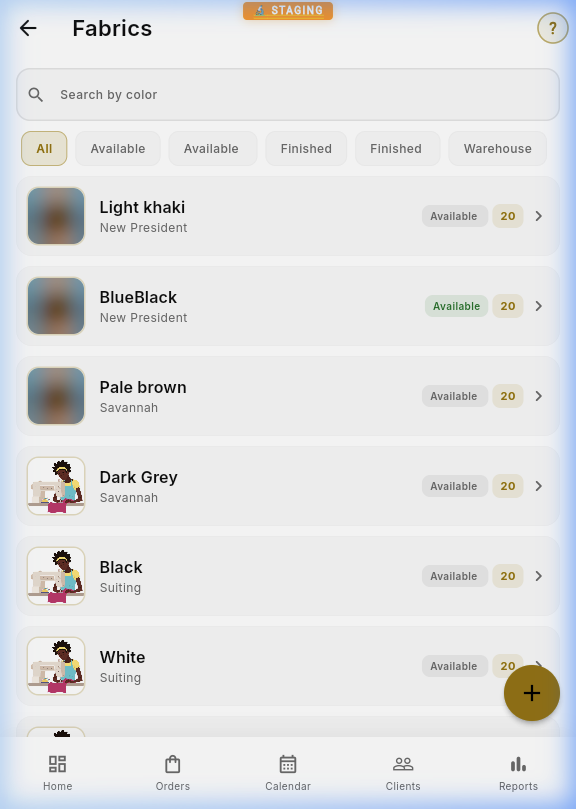
Track your fabric inventory with photos, color names, source information, and quantity counts. Filter by availability status to find what's in stock.
Fabric inventory with swatches
07
Payments
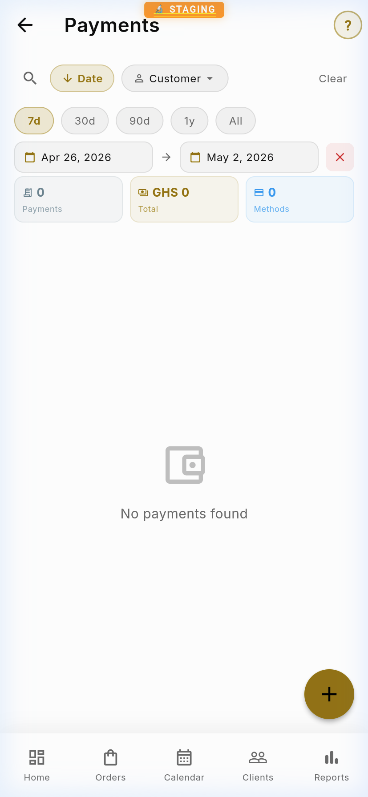
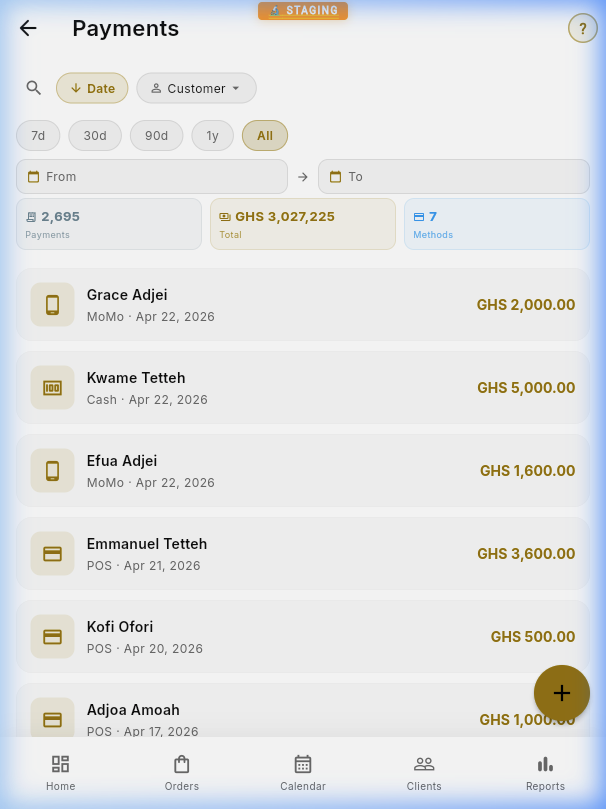
Record and track all payment transactions. See revenue stats, filter by date range, and identify outstanding balances.
Payment list with stats and date filters
Recording a Payment
You can record a payment two ways: from the Payment List (tap +) or from an Order Detail page (tap + in the Payments section). Select the customer, order, amount, and payment method.
Payment Methods
Cash — Walk-in cash payments
MoMo — MTN Mobile Money
MoMo Pay — MoMo merchant payments
POS — Card terminal payments
Cheque — Bank cheques
Bank Transfer — Direct bank transfers
Paystack — Online payments for African shops (GHS, NGN, KES) — recorded automatically
Stripe — Online payments for international shops (USD, GBP, EUR, etc.) — recorded automatically
Generating Receipts
From any payment detail, tap the receipt icon to generate a branded PDF receipt. You can print it directly or share it via WhatsApp.
Payment Settlement Setup
Shop owners must set up payment settlement to receive funds from online payments. The platform automatically detects your region and shows the appropriate setup:
African Shops (Ghana, Nigeria, Kenya) — Connect your bank account or mobile money via Paystack. Verify your account, and payments are settled directly to your bank.
International Shops (US, UK, EU, etc.) — Connect with Stripe. Complete identity verification through Stripe's secure onboarding, and payments are settled to your bank account.
Both gateways automatically split payments: the platform receives the tier commission, and the shop's gross allocation is the remainder before gateway processing fees. Platform commission rates are Free: 5%, Pro: 3%, Business: 2%, Enterprise: 1%; the corresponding shop gross allocations are 95%, 97%, 98%, and 99%. Paystack or Stripe processing fees are deducted separately from the shop's settlement.
Online Payments: When a customer pays through the Bespoke Portal, the payment is automatically recorded in the admin system with the correct amount, order link, and payment type — no manual entry needed. This works for both Paystack (Africa) and Stripe (international) payments.
08
Job Calendar
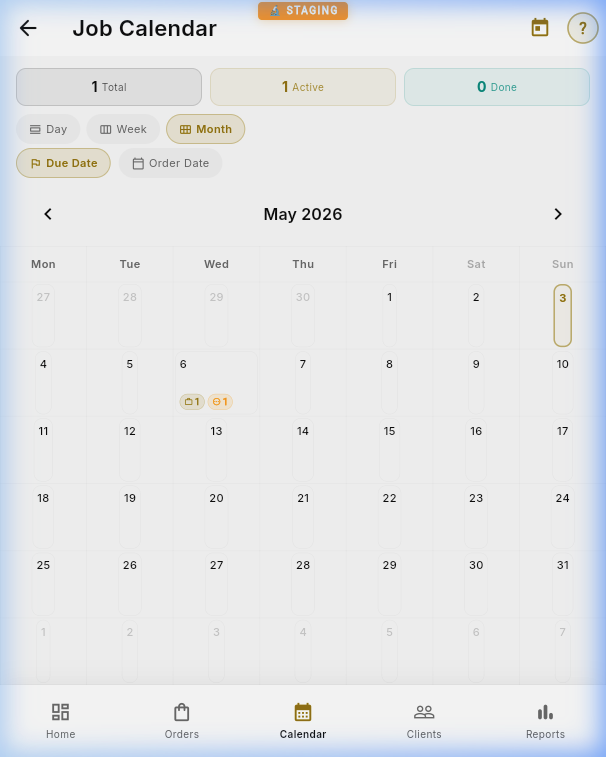
Visualize your workload on a calendar. Switch between Month, Week, and Day views. Filter by Due Date or Order Date. Click any day to see the jobs scheduled.
Monthly calendar with job events
View Modes
Month — Grid overview with gold dot indicators per day. Badges show total and incomplete job counts.
Week — 7-day strip with grouped job cards showing customer and product info.
Day — Full scrollable list of all jobs for the selected date, with customer name, product, tailor, status, and price.
Date Mode Toggle
Switch between Completion Date (when orders are due) and Creation Date (when orders were placed) using the toggle at the top. Completion date is most useful for production planning.
KPI Strip
The animated counter strip at the top shows: Total jobs in the visible range, Overdue (past due date, not completed), Active (in progress), and Done (completed). Numbers count up with a slot-machine animation.
Day Detail
Tap any day to open a detail panel (bottom sheet on mobile, side panel on desktop). Each job card shows the customer, product, assigned tailor, status badge, and price. Long-press a day cell for a quick status breakdown popup.
Views: Day view shows a detailed timeline. Week view displays columns. Month view shows event badges on each day cell. Long-press any day for a quick status breakdown.
09
Business Intelligence
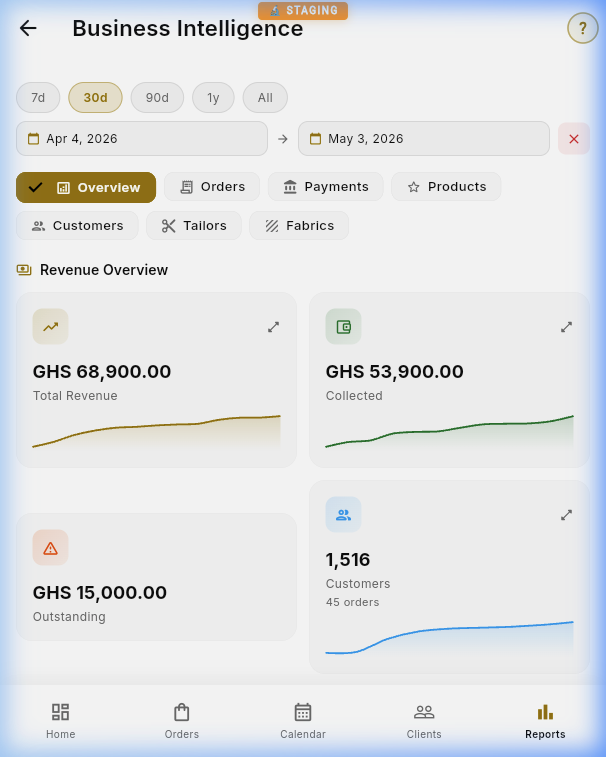
The Reports dashboard provides comprehensive analytics: total revenue, collected vs. outstanding, customer growth, average order value, and repeat rate — all with interactive sparkline charts.
Business intelligence dashboard with charts
Key Metrics
Total Revenue — Sum of all order values in the selected period, with a sparkline showing the trend over time.
Collected — Total payments received vs. Outstanding (revenue minus collected).
Average Order Value (AOV) — Total revenue divided by number of orders. Helps you understand your typical order size.
Repeat Customer Rate — Percentage of customers who have placed more than one order. A key loyalty metric.
Top Products — Ranking of garment types by sales volume, showing which products are most popular.
Date Range Filtering
Use the filter pills at the top: 7d (last week), 30d (last month), 90d (last quarter), 1y (last year), or All (all time). The entire dashboard — including all charts and KPI cards — updates instantly when you change the range.
Interactive Charts
Tap any sparkline chart to expand it into a full interactive view with data points you can explore. Revenue charts show trends over time, while the payment method breakdown helps you understand how customers prefer to pay.
Pro Tip: Compare 7-day and 30-day views to spot weekly patterns. A rising AOV with steady order count means customers are ordering more premium items.
10
Settings & Profile
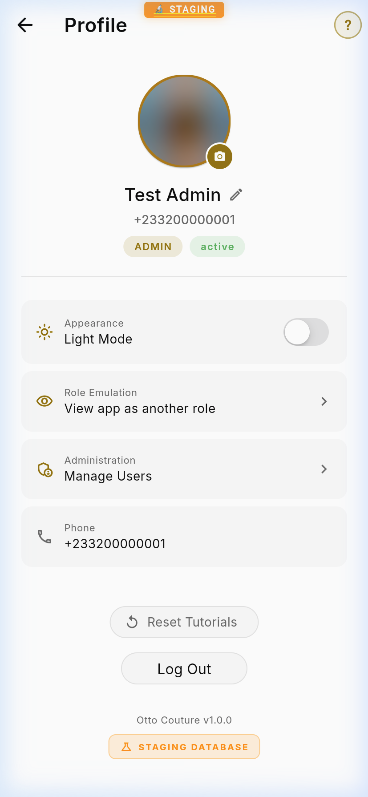
Manage your account, switch between light/dark mode, emulate other roles for testing, and access user administration.
Profile settings with dark mode toggle
Dark Mode
Toggle between Light and Dark themes from the Profile page. The app follows your system preference by default, but you can override it manually. Dark mode is recommended for extended use.
Role Emulation
Admins can emulate the Sales or Viewer role to test what other team members see. Tap the role emulation option on your profile to switch perspectives — reports and user management tabs will hide when emulating non-admin roles. Tap again to return to Admin.
Help & Manual
The profile page links directly to this Everything Manual at manual.bespokegh.com and the Feedback tracker for reporting issues.
Global Search
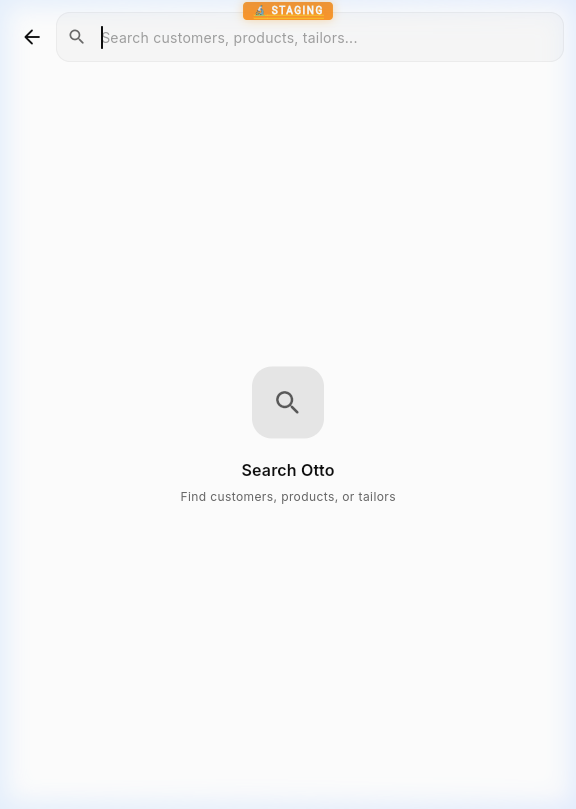
Search across customers, products, and tailors from a single unified search bar. Results are grouped by category with instant client-side filtering — no network delay.
Global search across all entities
10B
Shop Settings & Domains
Configure your shop's branding, URL slug, and custom subdomain from Shop Settings in the sidebar (admin-only).
URL Slug & Subdomain
Every shop has a unique URL slug that determines its custom subdomain. For example, if your slug is kofi-tailors, your URLs become:
Admin:kofi-tailors.admin.bespokegh.com
Customer Portal:kofi-tailors.portal.bespokegh.com
To change your slug:
Go to Shop Settings
Edit the URL Slug field
The app checks availability in real-time — slugs must be unique across all shops
Tap Save — your new subdomain is provisioned automatically
How it works: When you save a new slug, BeSpoke automatically registers your subdomain on Firebase Hosting and provisions an SSL certificate. DNS is handled by a wildcard record — no manual DNS setup needed. SSL may take 15–60 minutes to activate on a brand-new subdomain.
Auto-Redirect
After logging in, you're automatically redirected from the base platform URL (admin.bespokegh.com) to your shop's custom subdomain. This ensures every shop owner always lands on their personalized URL.
Shop Branding
Customize your shop's appearance across the platform:
Shop Logo — Displayed in the sidebar, invoices, and customer portal
Accent Color — Tints buttons, links, and highlights throughout the app
Contact Info — Phone number, email, and location shown to customers
Currency — Sets the default currency symbol for prices and payments
Domain Architecture
The BeSpoke platform uses a three-tier domain system:
All subdomains are auto-provisioned when a new shop is created. Shop owners don't need to configure any DNS — the platform handles everything via wildcard DNS records and Firebase Hosting API calls.
Security: Each shop's data is completely isolated via shop_id scoping in Firestore security rules. One shop cannot access another shop's customers, orders, or settings.
11
WhatsApp & Invoices
BeSpoke integrates directly with WhatsApp for customer communication. After creating an order, recording a payment, or marking an order complete, you'll be prompted to notify the customer instantly.
Notify Customer
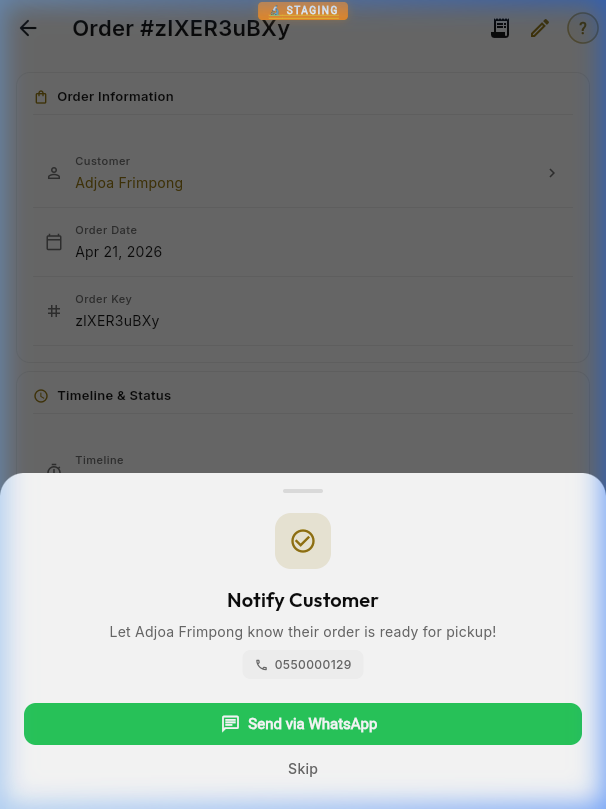
When an order is completed, a bottom sheet dialog appears offering to send a pickup notification via WhatsApp. The customer's phone number is pre-filled and the message is auto-composed.
WhatsApp notification prompt with green send button
Auto-Messages: The app composes personalized WhatsApp messages for invoices, receipts, and completion notices — including the customer's name, order number, and amount.
Order Detail with Invoice
From any order detail page, tap the receipt icon in the top-right to generate and print a PDF invoice. The invoice includes all jobs, pricing, payments, and the Bespoke Portal link.
Order detail — receipt icon in top barJobs, pricing, and payment sections
Payment Detail & Receipt
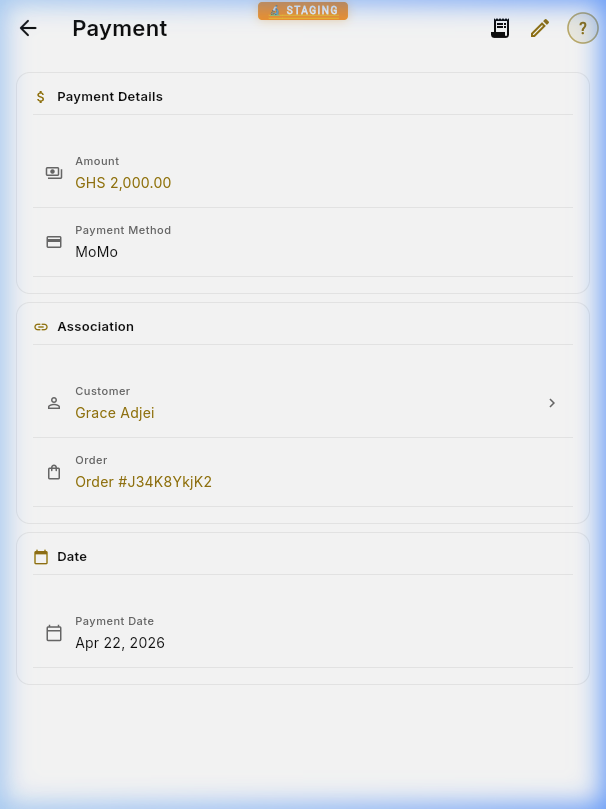
Each payment record shows the amount, method (MoMo, Cash, POS, etc.), associated customer and order, and date. You can generate and share a PDF receipt directly from here.
Individual payment detail viewComplete payments list with stats
12
User Management
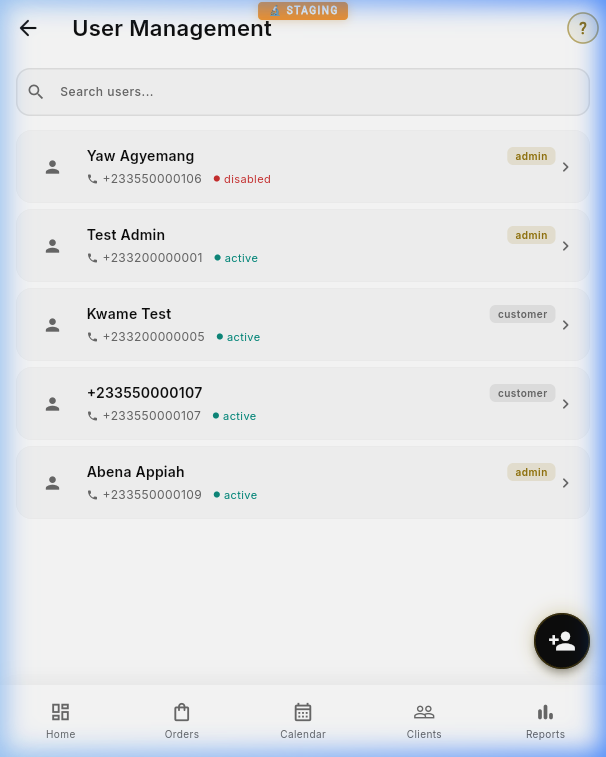
Invite team members with role-based access control. Assign roles like Admin, Viewer, or Customer to control what each person can see and do.
Invite a New User
Step-by-step:
Navigate to User Management from the sidebar (admin-only).
Tap the "Invite User" button in the top-right corner.
Enter the user's display name and Ghana phone number (format: +233...).
Select a role from the dropdown (Admin, Sales, Viewer, or Customer).
Tap Send Invitation.
A share dialog appears — send the invite link via WhatsApp, SMS, or copy to clipboard.
User management with role assignments
Understanding Roles
Admin — Full access: can manage users, view reports, change settings, create/edit all entities, and access the feedback tracker.
Sales — Can manage customers, orders, and payments. Cannot access Reports, User Management, or system settings.
Viewer — Read-only access to all data. Cannot create, edit, or delete anything.
Security: Role changes take effect immediately. When you change someone's role, their permissions update the next time they interact with the app — no need for them to log out and back in.
14
Account & Privacy
BeSpoke takes your privacy seriously. You have full control over your account data, including the ability to permanently delete your account and all associated data.
Account Deletion
To permanently delete your account:
Go to Profile in the app.
Scroll to the bottom and tap Delete Account (red text).
A confirmation dialog appears explaining what will be deleted.
Type DELETE (in capital letters) to confirm.
Tap the Delete My Account button.
⚠️ This action is permanent and cannot be undone. Deleting your account will:
Remove your profile information (name, email, phone number)
Remove your Firebase Authentication account
Clear all personally identifiable information from the system
Cancel any active subscriptions
Historical order records are anonymized (marked as "[Deleted User]") to maintain your shop's business records. The shop itself and its data remain intact for other team members.
Privacy Policy
Access the BeSpoke privacy policy at any time from Profile → Privacy Policy. The privacy policy is also available at bespokegh.com/privacy-policy.
The policy covers:
What data we collect and why
How your data is stored and protected
Third-party services (Firebase, Sentry, Stripe)
Your rights to access, export, or delete your data
How to request data deletion via email (support@bespokegh.com)
Data Security
All data is stored in Google Cloud (Firestore) with encryption at rest and in transit
Authentication is handled by Firebase Auth with phone OTP verification
Each shop's data is isolated via Firestore security rules — one shop cannot access another's data
Payment information is never stored in BeSpoke — all payments are processed through Stripe or Paystack directly
Bespoke Customer Portal
B1
Welcome & Sign In
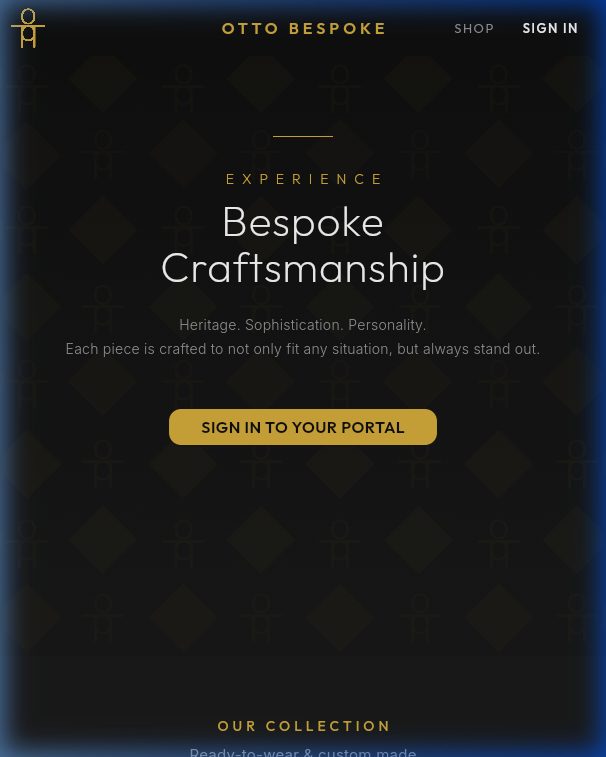
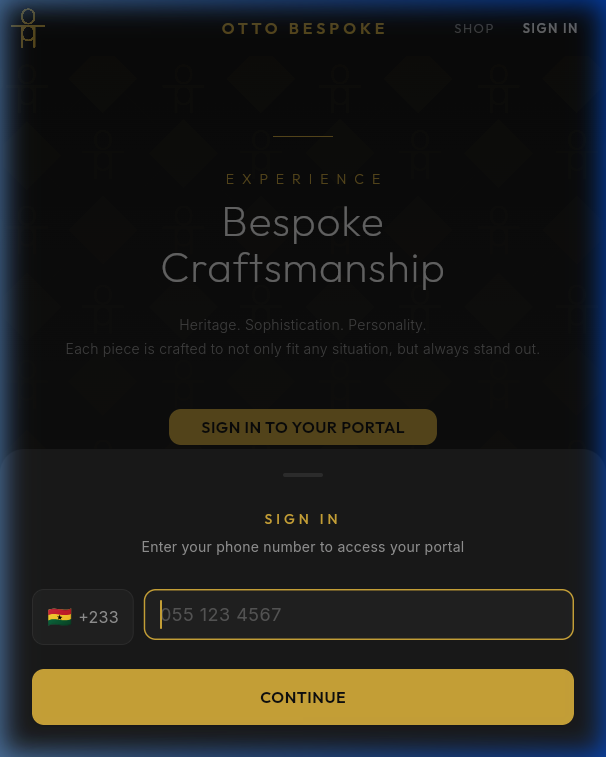
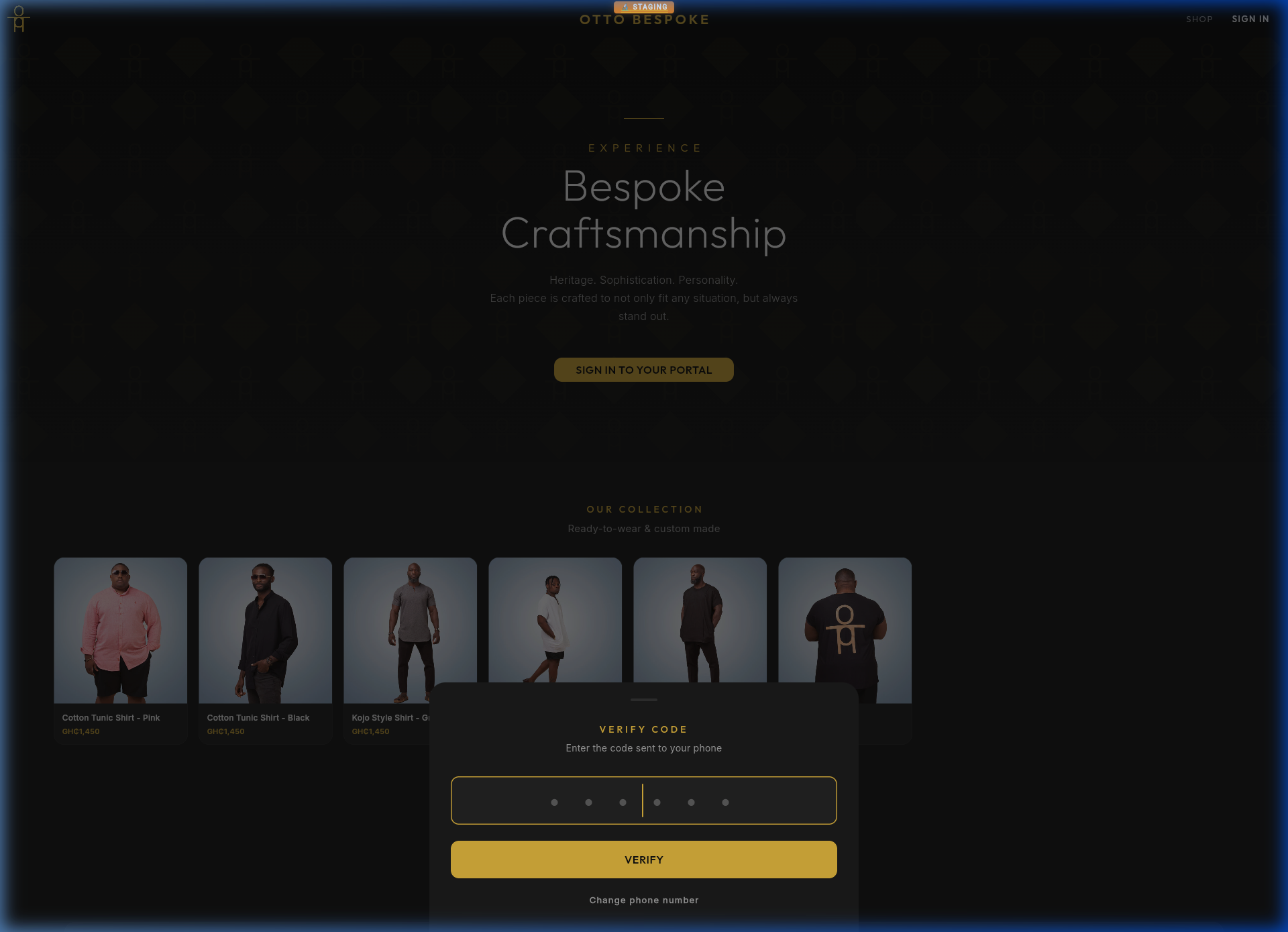
The Bespoke Portal is your customer-facing app. Clients access their orders, measurements, and payment history from any device.
Premium landing pagePhone sign-in screen
OTP Verification
After entering their phone number, customers receive a 6-digit code for secure verification.
OTP verification step
B2
Customer Dashboard
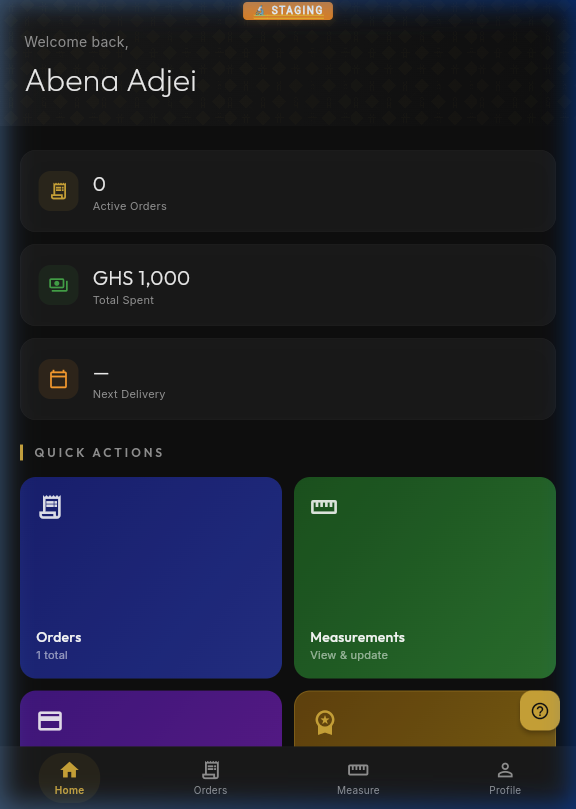
After signing in, customers see their personalized dashboard with active orders, total spent, next delivery date, and quick action tiles.
Personalized customer dashboard
B3
Orders & Payments
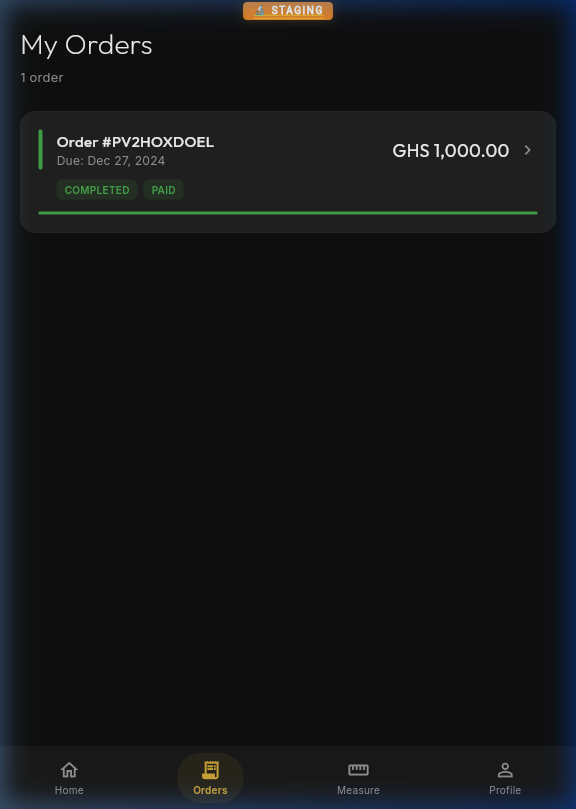
Customers can view all their orders with real-time status tracking and a complete payment history including payment method and date.
Order list with status badgesBody measurements
B4
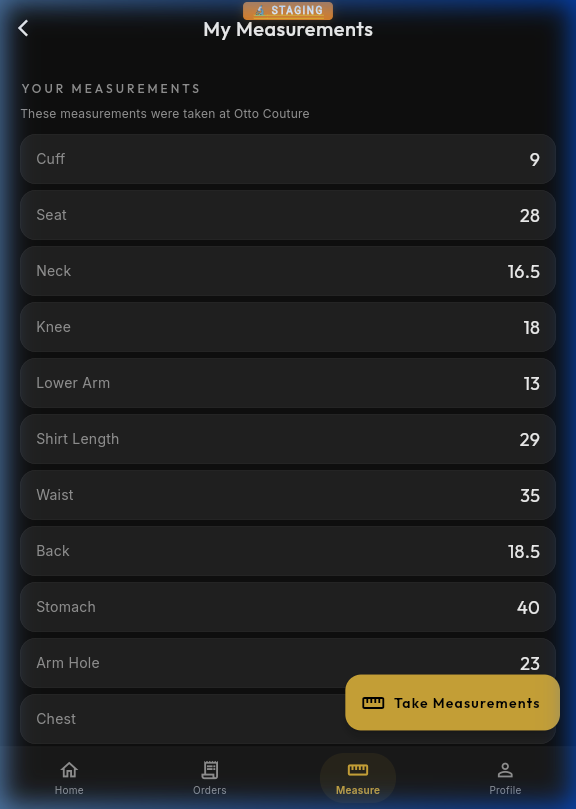
Measurements
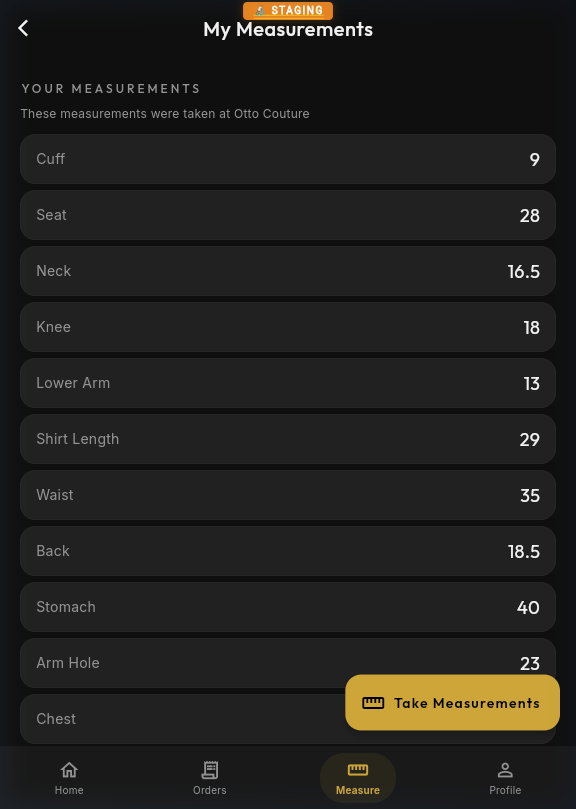
Customers can view and update their body measurements. The tailor can also update these remotely — changes sync instantly.
Body measurement management
B5
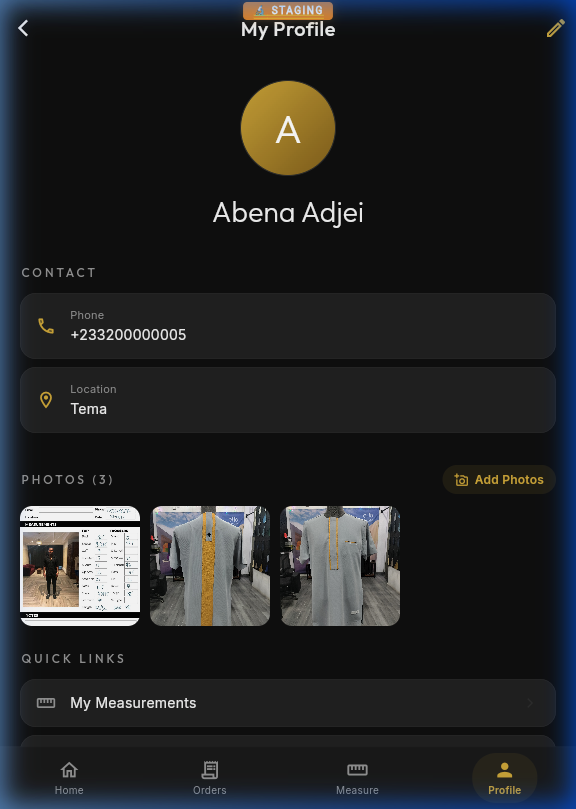
Profile
Manage personal information, view account details, and access the Gold Membership tier for premium benefits.
Customer profile page
B6
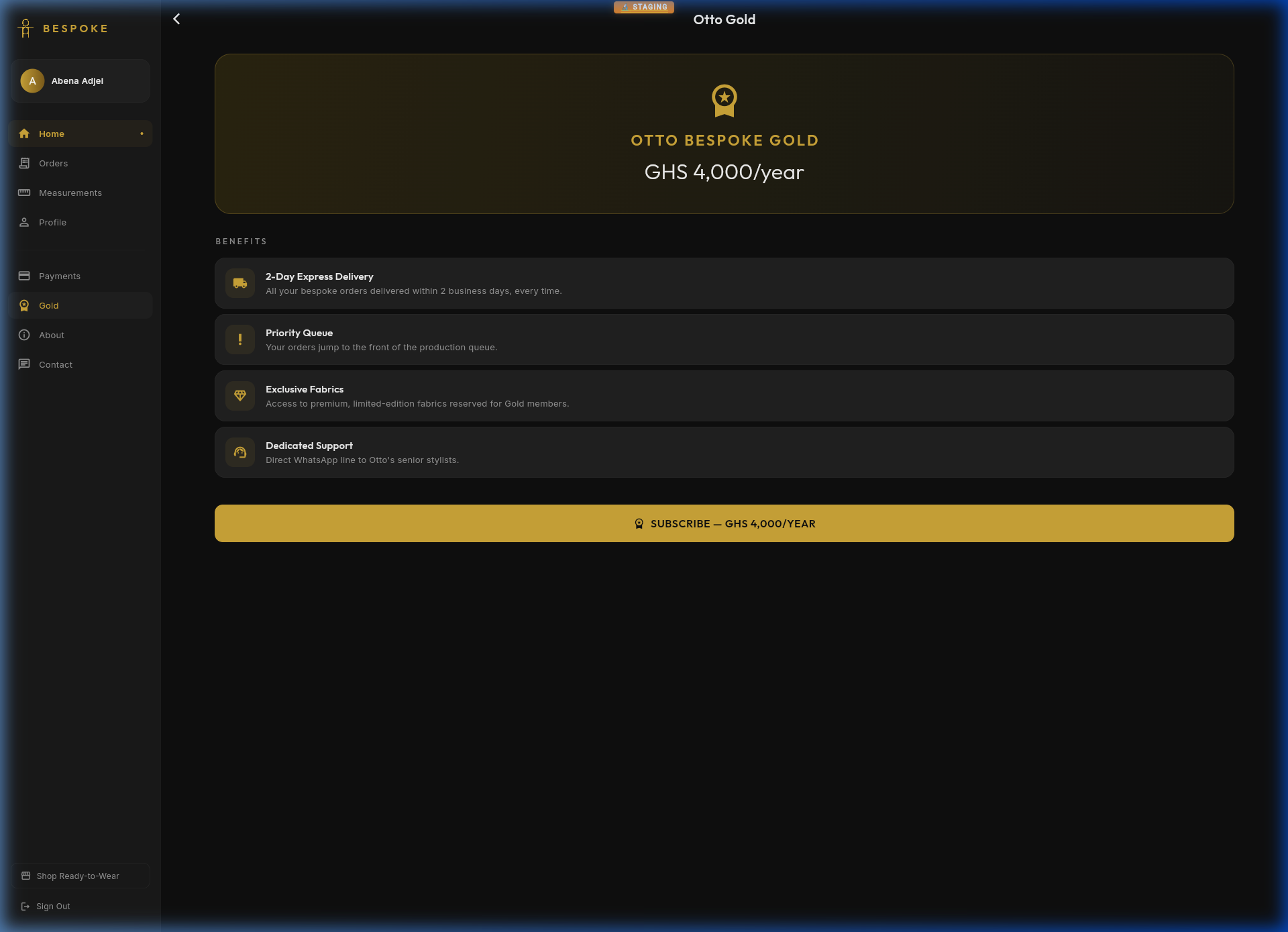
Gold Membership
BeSpoke Gold is a premium annual membership that unlocks exclusive benefits for loyal customers. The price and perks are configured per shop.
BeSpoke Gold — premium membership page
Benefits
2-Day Express Delivery — All bespoke orders delivered within 2 business days
Priority Queue — Your orders jump to the front of the production queue
Exclusive Fabrics — Access to premium, limited-edition fabrics reserved for Gold members
Dedicated Support — Direct WhatsApp line to your shop's senior stylists
Video Tutorials
V1
Admin App Walkthrough
Watch a complete walkthrough of the BeSpoke Admin app — from the dashboard through orders, customers, calendar, and business reports.
1 / 8
V2
Bespoke Portal Walkthrough
See how customers experience the Bespoke portal — from the premium landing page through login, dashboard, orders, and measurements.
1 / 8
V3
Cross-App Flow
See how admin actions are instantly reflected in the customer's Bespoke portal — from order management and invoice generation to the customer's real-time view.
1 / 6
How it works: When an admin records a payment, sends an invoice, or marks an order complete, the customer sees the update instantly in their Bespoke Portal — no sync delay, no manual refresh.
Need Help?
H1
Getting Help & Sharing Ideas
BeSpoke is designed to be self-service, but we're always listening. Whether you've hit a problem, have an idea for a new feature, or want to tell us something is confusing — your voice shapes the product. Here's how to reach us:
This Manual — You're reading it! Available anytime at manual.bespokegh.com. Also accessible from the app's Profile page.
In-App Feedback — Tap the feedback icon in the navigation bar to report a bug or request a feature. It's always visible — on the bottom bar (mobile) or side rail (desktop). Your report includes automatic context so the team can act fast.
Issue Tracker — View all reported issues and track progress at bespokegh.com/feedback. Every report is visible so you can see what's being worked on.
Your feedback shapes what we build. Every feature in BeSpoke started as a user request. From AI scanning to WhatsApp invoices, real shops told us what they needed. Don't hold back — even small suggestions matter. Tap the feedback icon now and tell us what would make your life easier.
H2
Feedback, Bugs & Feature Requests
BeSpoke includes a built-in feedback system that makes it easy to report problems and suggest improvements. It works in both the Admin App and the Bespoke Portal — and it's how the platform gets better every week.
Reporting a Bug
Something broken? A button not working? An order not showing up? Report it in seconds:
Tap the feedback icon in the navigation bar — bottom of the screen on mobile, or next to settings in the side rail on desktop.
Select Bug as the type.
Enter a brief title describing the problem (e.g., "Payment not saving" or "Calendar won't load").
Add a description with more detail — what you were doing, what you expected, and what actually happened.
Tap Submit — the app automatically captures your context (see below).
Requesting a Feature
Have an idea that would make your workflow faster or your shop run smoother? We want to hear it!
Tap the feedback icon in the navigation bar.
Select Feature as the type.
Describe what you'd like — be as specific or general as you want.
Tap Submit.
Feature Request Examples
Not sure what to ask for? Here are real examples of features that came from user feedback:
"Can I scan my handwritten measurement forms instead of typing them in?" → We built AI Form Scanning
"I want to send WhatsApp messages when orders are ready" → We built WhatsApp integration with invoice sharing
"Customers should be able to pay online" → We built Paystack & Stripe online payments
"I need to see my revenue trends" → We built Business Reports with charts and export
"Show me all my jobs on a calendar" → We built the Job Calendar with day/week/month views
Every one of these started as a simple feedback submission. Your idea could be the next feature we build.
What Gets Captured Automatically
You don't need to manually include any of these — the app records them for you to help the team resolve issues faster:
Page — Which screen you were on when you submitted
App Version — The exact version of the app you're using
Device/Browser — Whether you're on mobile web, desktop, iOS, or Android
Your Identity — Your name, phone, and role (so the team can follow up or test with your setup)
Shop — Your shop name and ID, so the team can reproduce issues in your specific context
App — Whether you submitted from Admin or Bespoke Portal
Tracking Your Issues
All submitted feedback is visible at bespokegh.com/feedback. Sign in with your phone number to:
View your submissions — See all bugs and features you've reported
Track progress — Watch as issues move from Open → In Progress → Resolved
Filter by type — Bugs, features, or both
Filter by app — Admin, Bespoke Portal, or all
See what others reported — All feedback is public so you can see the full backlog
Issue Lifecycle
Every issue goes through these stages:
●Open — Newly submitted, waiting for review
●In Progress — Being actively worked on by the team
●Resolved — Fixed and deployed — try it out!
●Closed — No longer relevant, duplicate, or won't fix (with explanation)
Tips for Great Feedback:
For bugs: Include what you were doing, what you expected, and what actually happened. Screenshots help!
For features: Describe the problem you're trying to solve, not just the solution. This helps the team design the best approach.
Be specific: "Payments page is slow" is good. "Payments page takes 10 seconds to load on Chrome mobile" is even better.
Have feedback right now?
Open the app and tap the feedback icon in the nav bar, or visit the tracker below.